
Laytime Comparison Reports
Burmester & Vogel’s Laytime Comparison AI Copilot provides the industry’s only digital solution to automatically compare any two laytime statements. With the click of a button, you can now import, audit, and settle demurrage claims faster.
BV’s Laytime Comparison AI Copilot utilizes patent-pending technology to digitize Laytime Statements (“LTCs”) produced in almost any format. Comparison AI delivers a fast and easy way to import LTCs into the system and generate a side-by-side comparison with another document or calculation. This module is fully integrated within the BV Demurrage AI Platform, allowing users to save time by importing an LTC received in PDF format directly into the BV Laytime Calculator and managing the lifecycle of each demurrage claim.
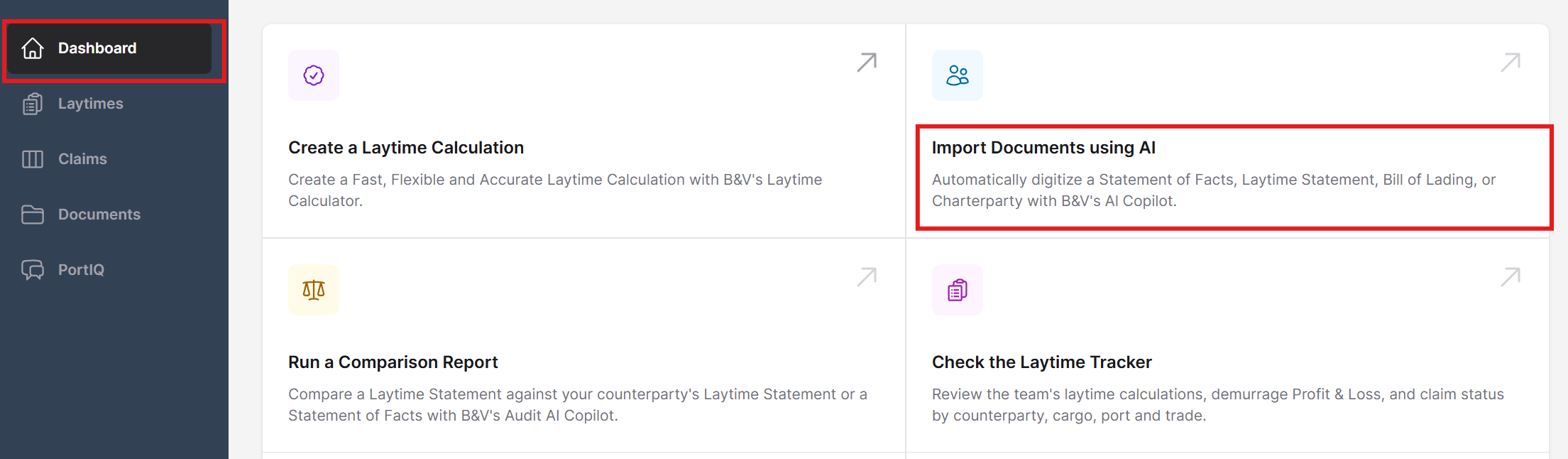
To use the Laytime Comparison report tool, first import the document by clicking the Import Documents using AI.
In the upload screen, either drop the PDF file into the gray box or select the Browse link to upload documents directly to the system.
Next, under the Document Type, select Laytime Calculation and click Upload.
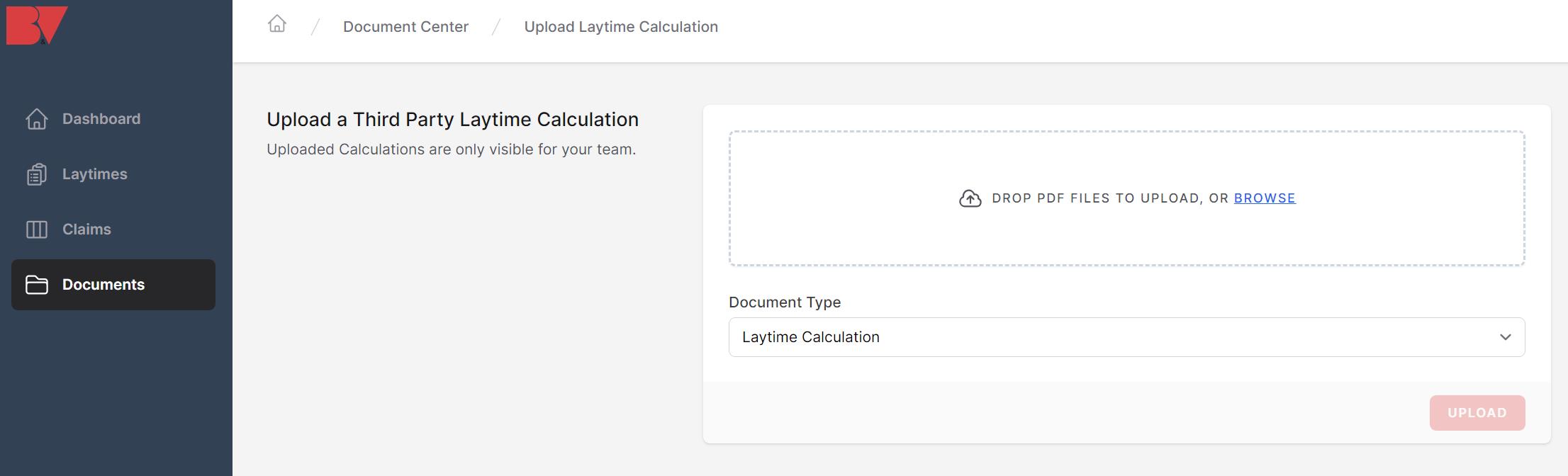
Once the document has been uploaded, it will appear in the Documents tab on the left-hand toolbar.
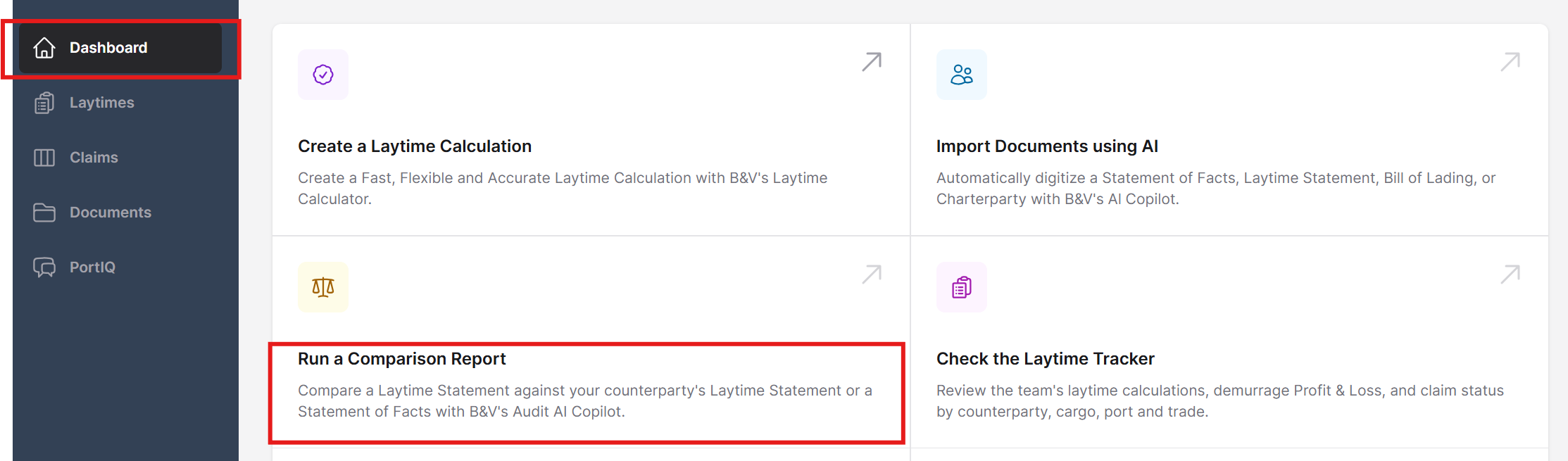
Next, return to the Dashboard settings and select Run a Comparison Report.
From this section, select two documents and select the Compare button.
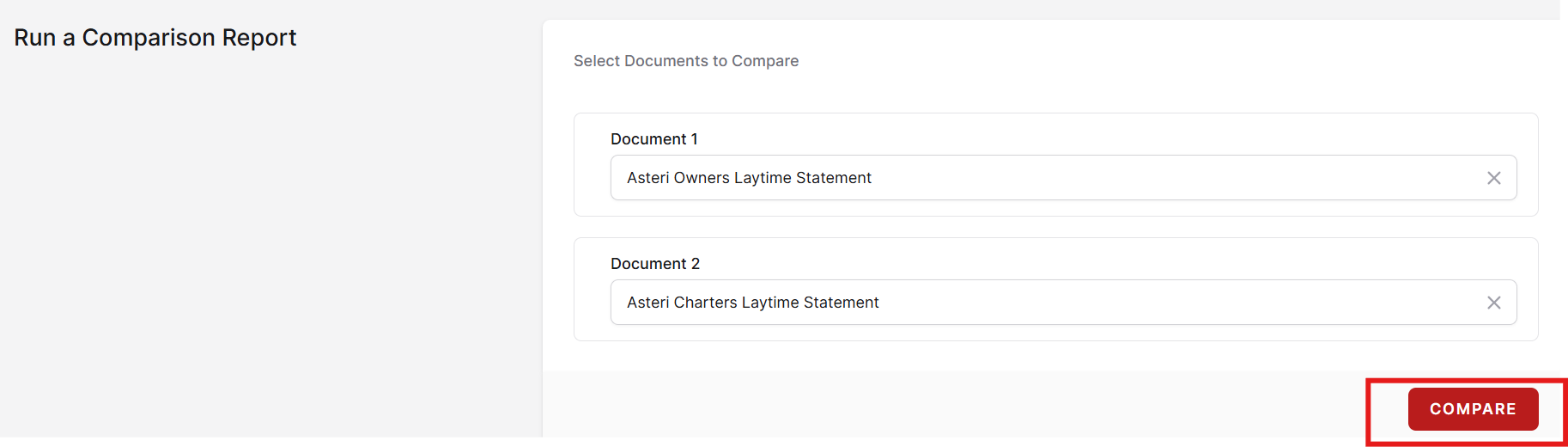
The search bar here is a dynamic search, meaning that once you start typing the name of the document, the document will automatically appear. Click on the document in the Document 1 section and repeat the steps for Document 2.
The system will then generate a comparison report using the data from both documents. The report will be categorized into a side-by-side column view as well as a table color coded table to reflect any discrepancies between the two documents.
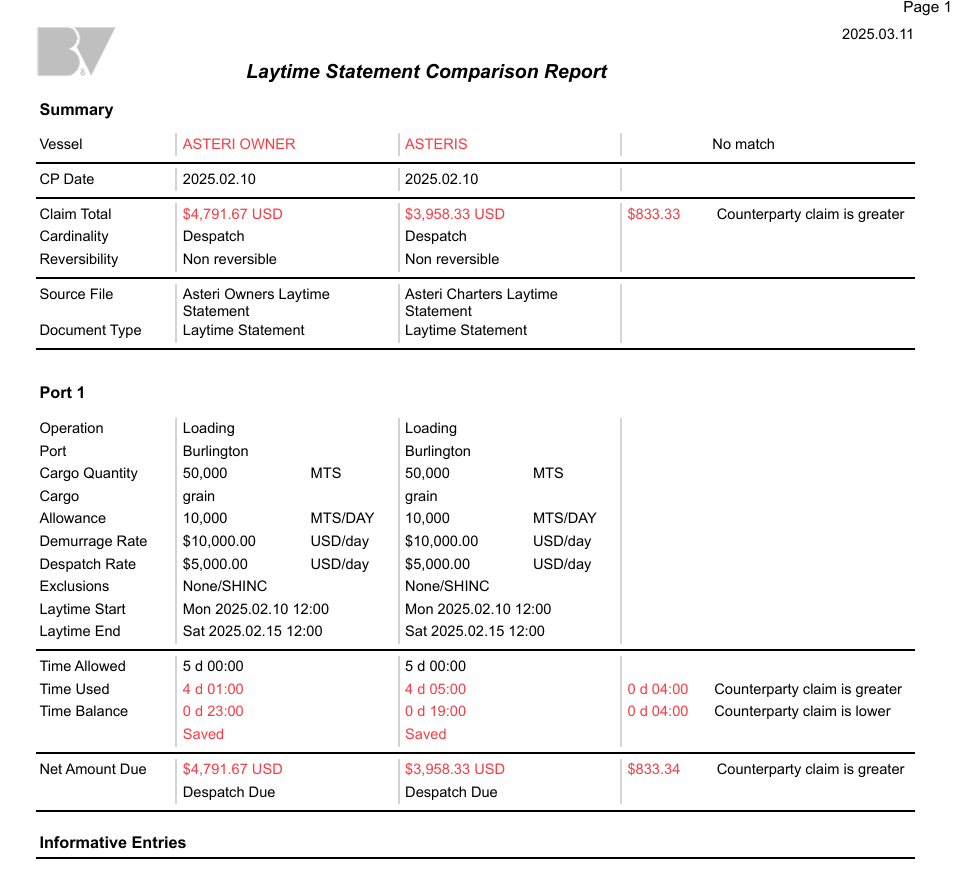
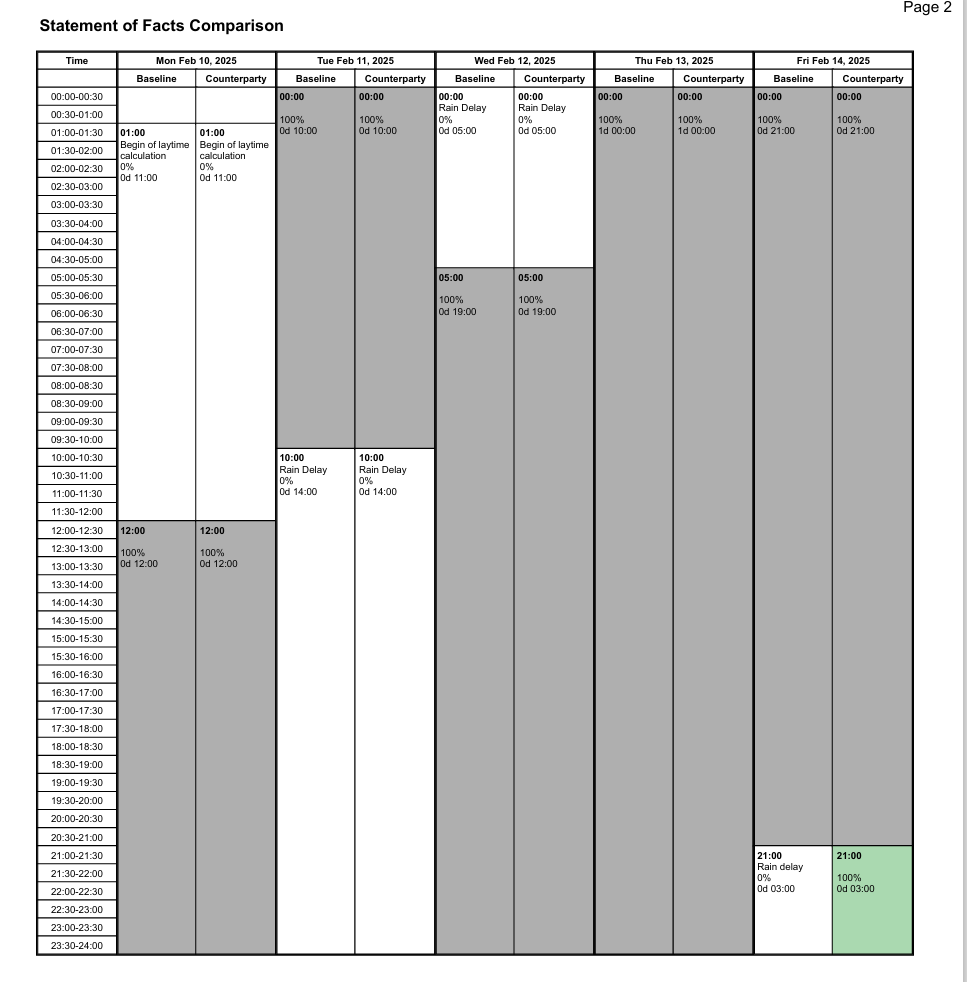
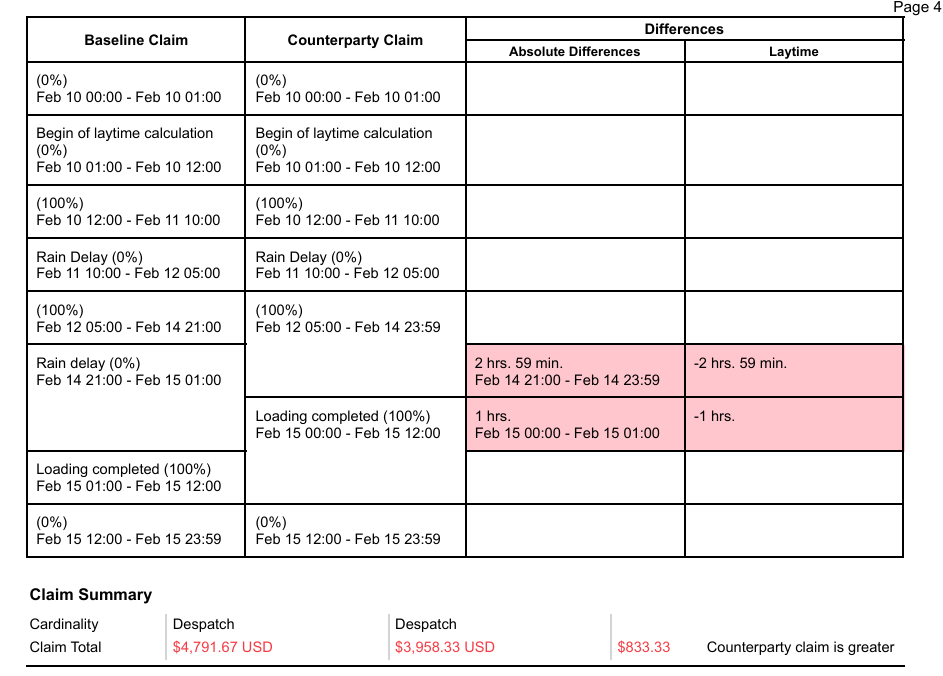
Note: The comparison report tool can also be used to compare two documents created in the BV calculation software as well as documents uploaded from a third party.
A comparison report can then be saved directly to the computer or printed.
Note: The Laytime Comparison Reports is a premium service and requires a subscription for activation. For more information, contact info@burmester-vogel.com.