
General Settings
The Team Settings page allows you to manage user licenses and configure default settings which apply to all users when creating new laytime calculations. To navigate to this page, click on your user icon in the bottom left of the page and select "Team Settings" from the menu.
The Team Logo section allows you to upload an image file (.png, .gif, .jpg only) of your company logo for display on the printout of the laytime statement. Click the "+" sign or drag-and-drop a file into the dropzone and click "Save" to save the image to your settings.

The Cargo Settings section allows you to specify whether the default configuration for each new laytime calculation is for Dry Bulk or Tanker cargo. The settings for each are shown below.
| Cargo Setting | Dry Bulk | Tanker |
| Time Allowance | mts/day | hours |
| Despatch Calculation | Enabled | N/A |
| SHEX Terms | Enabled | N/A |
| Pro Rata for parcel cargoes | Prorata on cargo quantity | Prorata on time allowance |
In addition to the Cargo Type settings, you can specify the default unit of measure for Time Allowance in the dropdown menu. Select an option and click "Save".

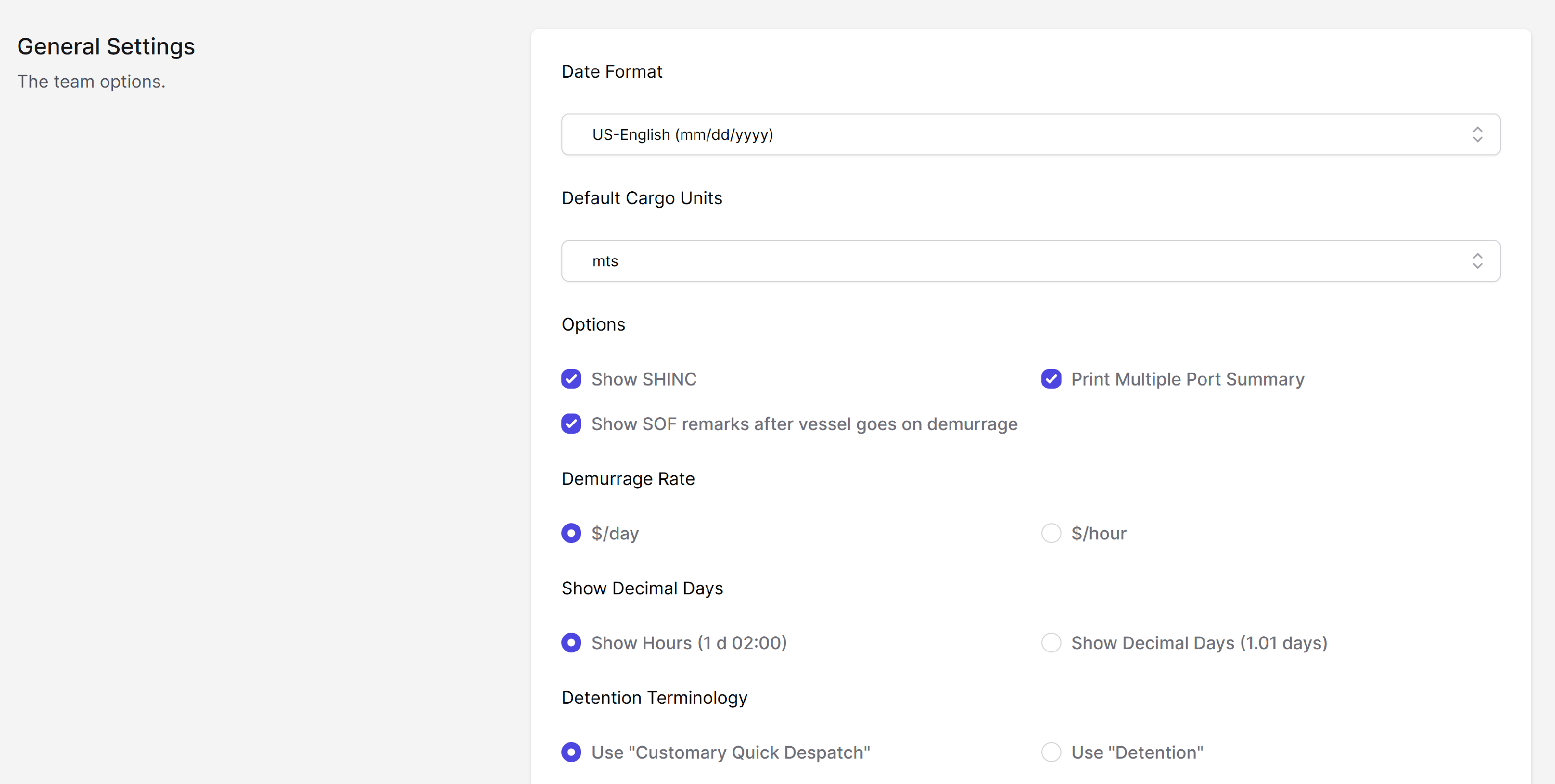
The General Settings section allows you to modify various settings which apply to each laytime calculation. Notable settings:
-
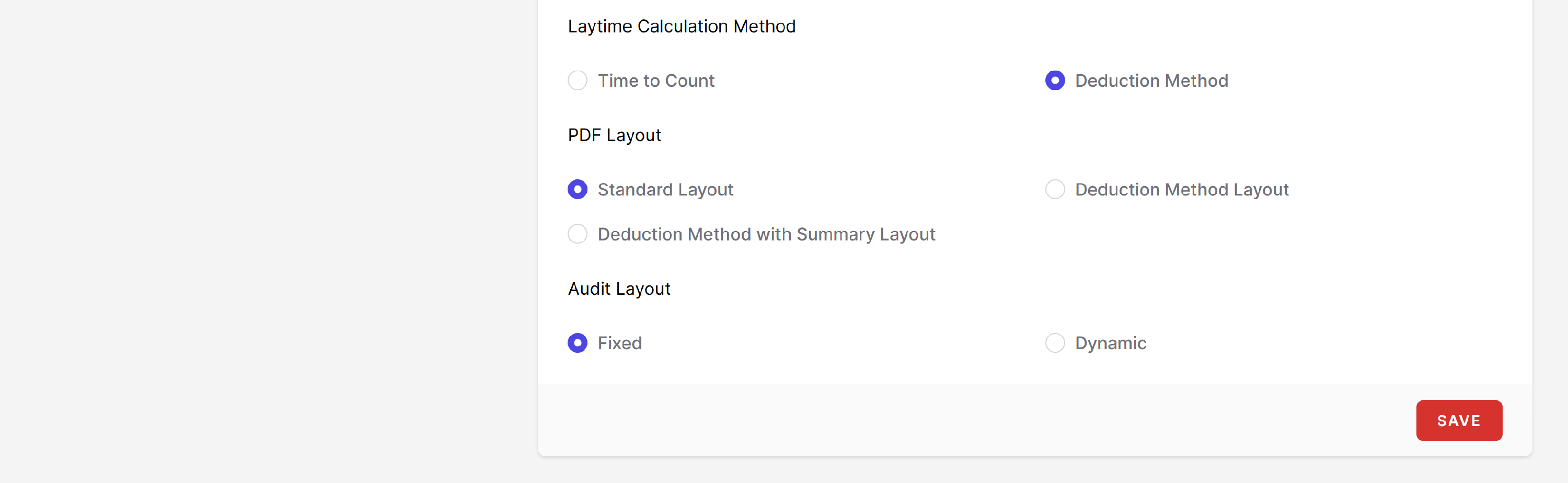
The Laytime Calculation Method setting allows you to specify Time to Count or Deduction Method. When Time to Count is selected, all events occuring in the Statement of Facts are entered in chronological format,
- The PDF Layout setting allows you to show:
- Standard Layout: All time counting and deducted from laytime is shown in a continuous format
- Deduction Layout: "Time Deducted" is shown next to each exception or deduction.
- Deduction Method with Summary Layout: Same as the Deduction Layout, with the addition of a summary table for each load and discharge port that shows the total time used in each port.
The Team Informative Entry Remarks section shows the set of default values for the list of informative entries in the Port Details page of a calculation. This section allows you to rename, delete, add, or change the sort order of entries in the list. Once changes are made click "Save".

The Team Laytime Start Remarks section allows you to customize the list of entries available for selection in the "Laytime Commenced" dropdown menu on the Port Details page of a calculation.
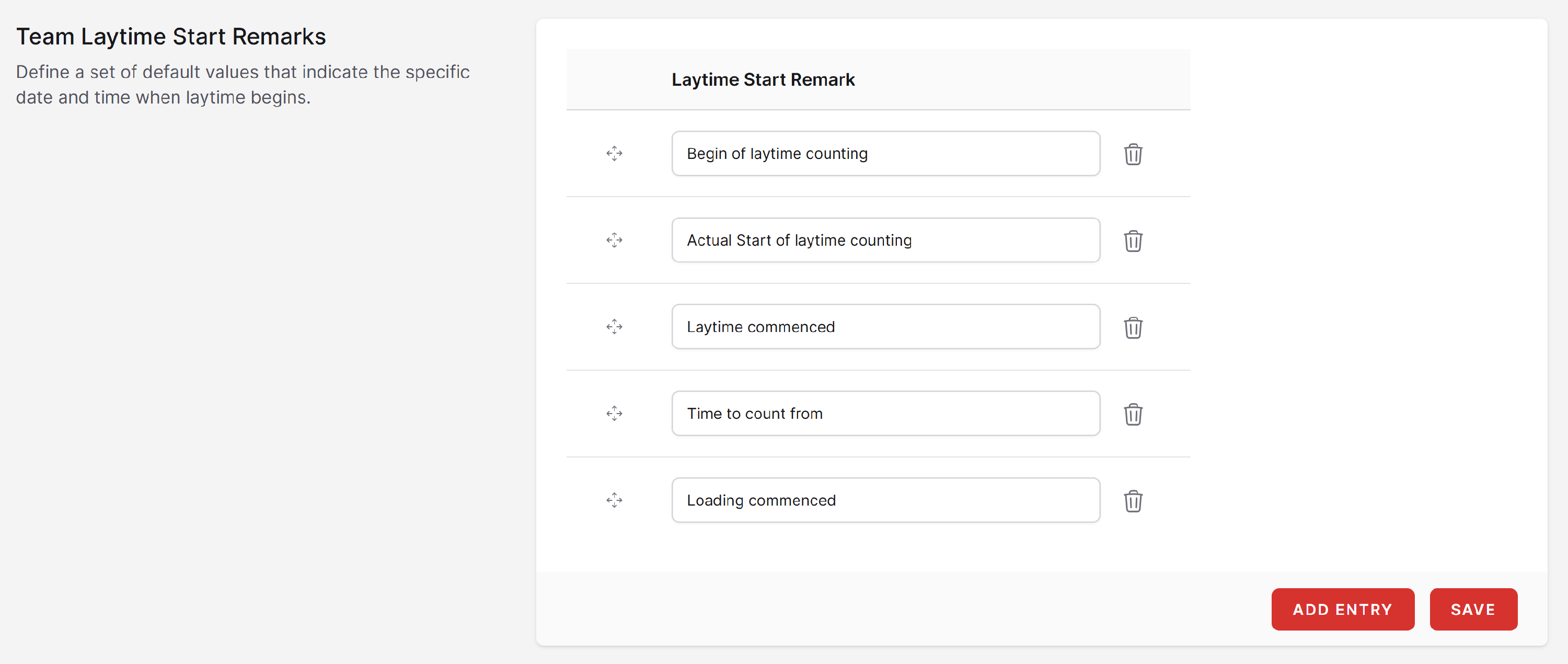

Note: The first entry in the Team Laytime Start Remarks and Team Laytime End Remarks lists is used as the default value for the corresponding dropdown menus in the Port Details page of a laytime calculation. To change the default value, rename the first row or move another entry from the list up to the top of the list and then click "Save".