
Statement of Facts AI Copilot

BV’s Statement of Facts AI Copilot digitizes structured and unstructured Statement of Facts documents to provide unparalleled visibility into the efficiency of your port calls. Our AI has been trained on thousands of documents spanning every type of dry bulk and tanker commodity using document formats from around the world.
Our AI uses our patent-pending technology to analyze each SOF, recommend Time to Count, and help analysts more accurately calculate laytime and audit a demurrage claim. With our tools a demurrage analyst digitizes the SOF, reviews key events which are flagged by the system, filters and selects exceptions to laytime and quickly finalizes or updates a calculation, accelerating turnaround time to prepare, audit, and settle a claim.
The Statement of Facts AI Copilot digitizes a Statement of Facts in one click, making the data immediately available. An SOF can be digitized one of two ways:
- Upload a PDF document using the Import Documents using AI feature, which is available either from the Dashboard or the Documents page.
- When creating or editing a laytime calculation, select the Statement of Facts tab and click "upload a new SOF".
Once an SOF has been digitized, you can select it from the dropdown menu in the Statement of Facts tab and click "Add Existing SOF" to select time periods to deduct.
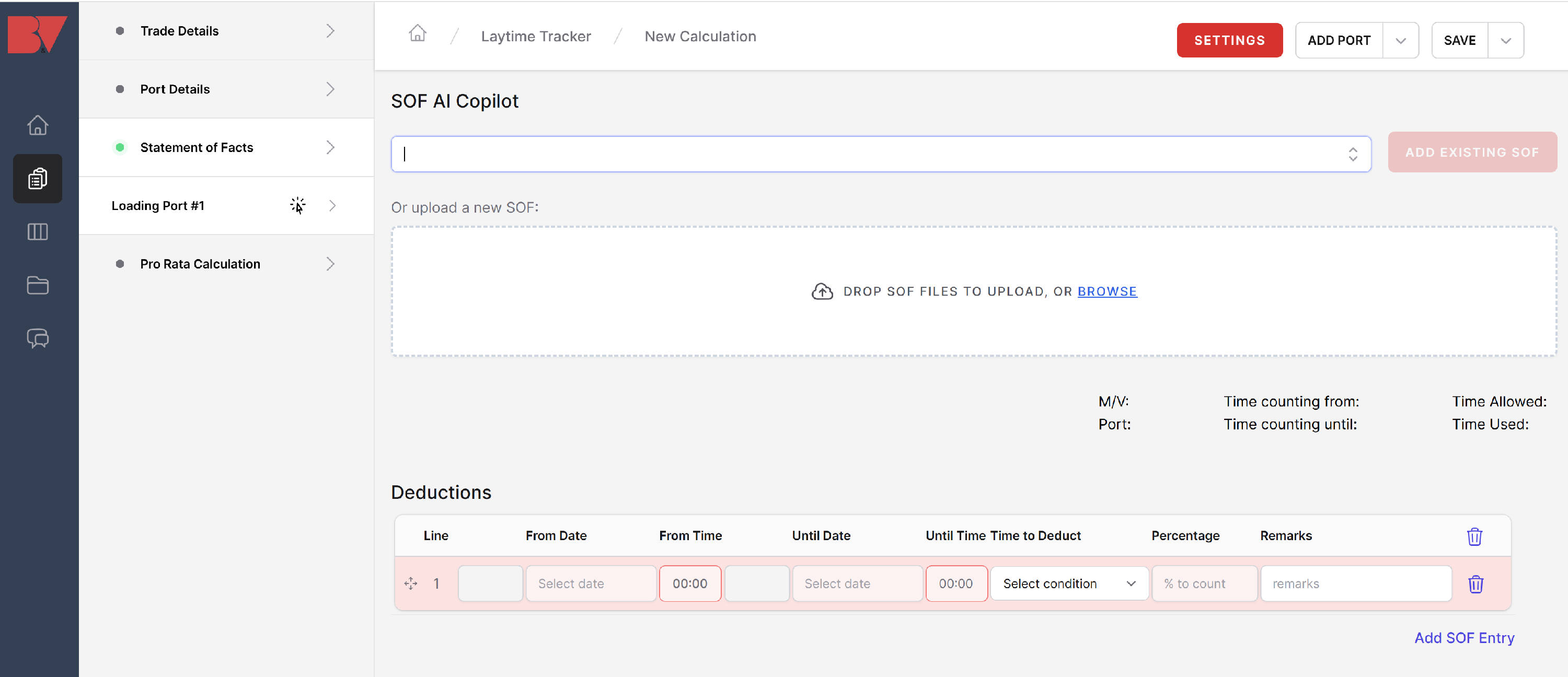
Best practice to keep in mind when digitizing an SOF document:
- An SOF with more than 6 pages may take several minutes to digitize
- Remove any pages which do not have data immediately relevant to the SOF. While Notice of Readiness documents are OK, including a cargo document with letters of protest, pumping logs, draft surveys or lengthy pages of agent's or vessel's remarks will slow down the SOF AI Copilot without delivering meaningful value to the end result.
- An SOF with a port log followed by a lengthy table of events will often see the two tables merged, which may result in several "overlapping events". Consider keeping just one of the two tables to digitize.
Once you have selected an SOF from the SOF Details tab, you will see the SOF AI Copilot dashboard appear. This screen shows a clean, standardized layout for all Statement of Facts events.
What does the AI do?
- Takes an unstructured PDF and organizes it into standardized data
- Provides a "Time to Count" prediction based on BV's proprietary machine learning models.
- Pre-selects deductions to laytime based on SOF remarks using BV's proprietary classification models for exceptions such as rain/bad weather, time not to count, and crane breakdowns.
- The SOF can be filtered using the Keyword Search feature or by clicking on the Filter icon next to the Time to Count section.
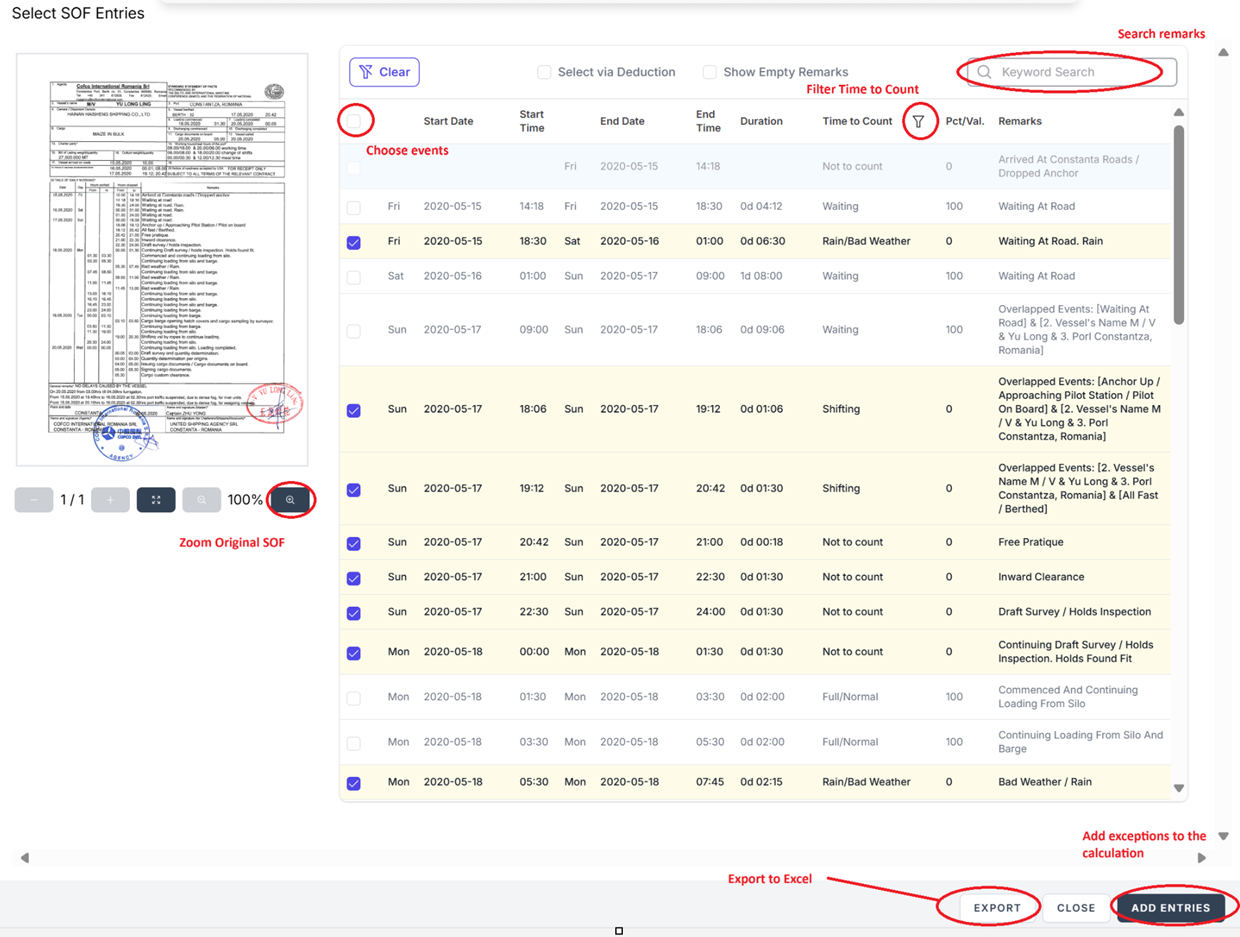
Once you have identified all entries which you'd like to deduct from the calculation, click "Add Entries".
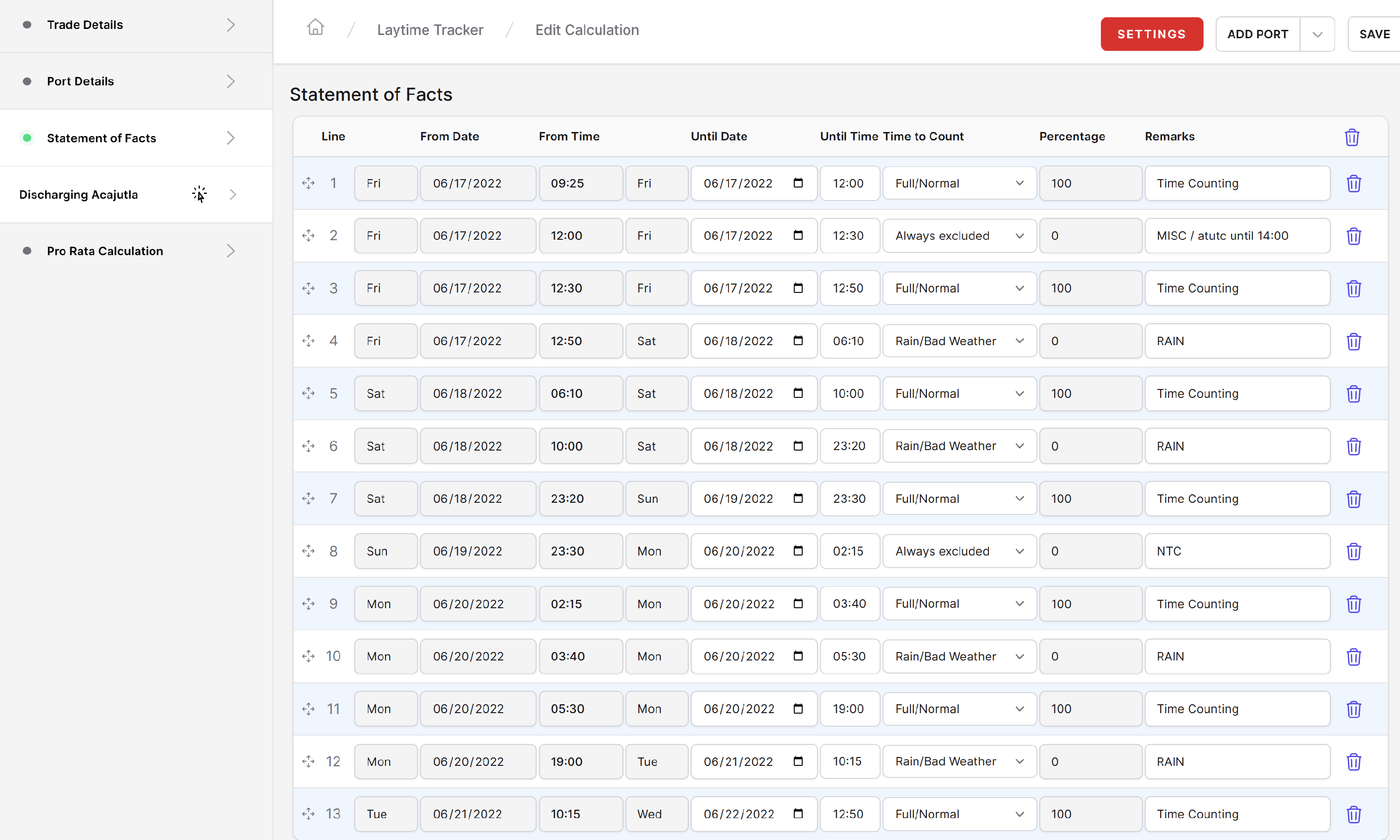
At this time any entries can still be modified by the user, including field such as Time to Count, Remarks, and start and end datetimes for each exception to laytime.
Note: The SOF AI Copilot is a premium service and requires a subscription for activation. For more information, contact info@burmester-vogel.com.