
Laytime AI Import
Burmester & Vogel's Laytime AI Copilot provides the industry’s only digital solution to digitize and import 3rd party laytime statements for streamlined storage and comparison.
The Laytime AI Copilot is a fully integrated module in the B&V Demurrage AI Copilot platform. With our application, trade execution and shipping teams can increase their demurrage claim accuracy, accelerate settlement timelines, minimize disputes, optimize their demurrage Profit & Loss and enable team-wide collaboration.
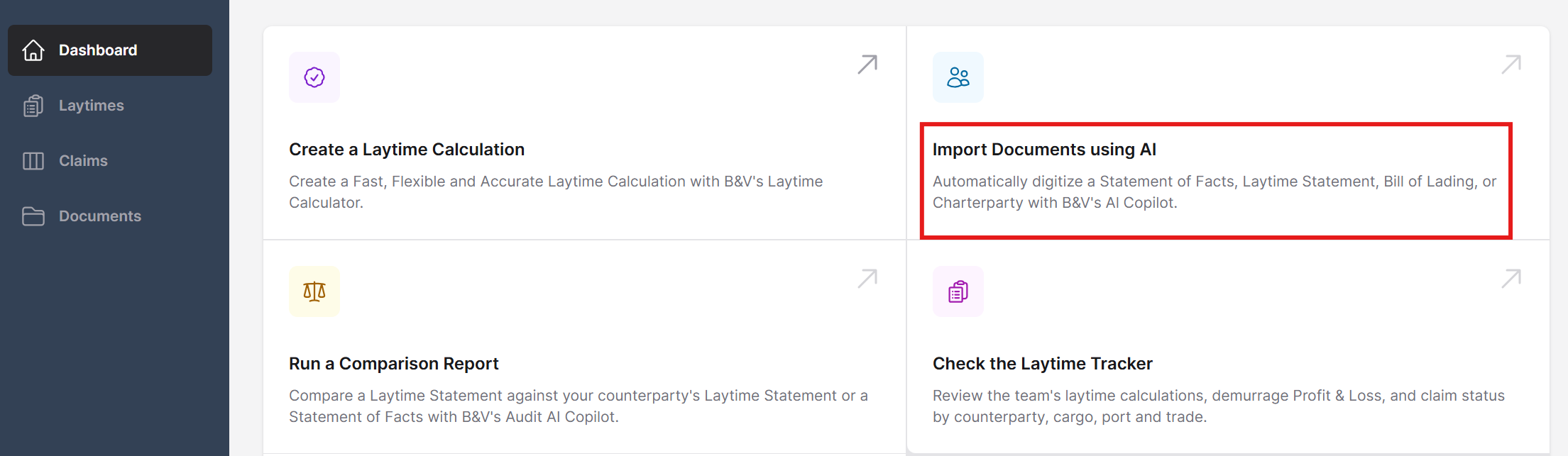
To upload a Laytime Calculation (LTC), go to the Dashboard menu and select Import Documents using AI.
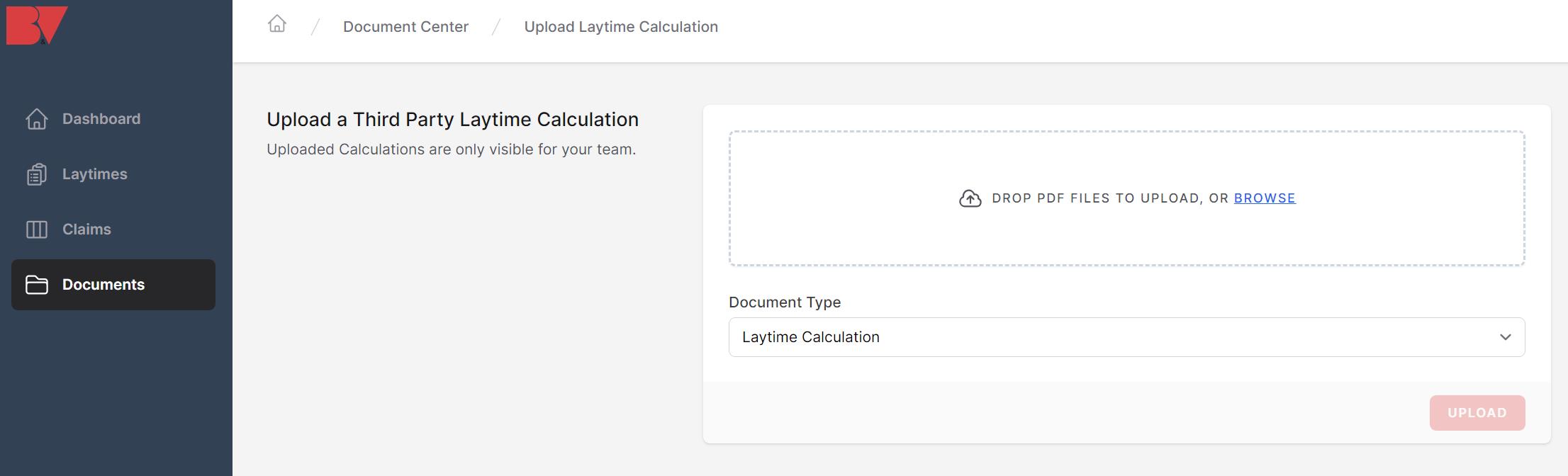
In the upload screen, either drop PDF files directly into the gray box or select the Browse link to upload documents directly into the system.
Under the Document Type, select Laytime Calculation and click Upload.
Note: To see an example of an SoF uploaded, please see the Statement of Facts AI Copilot article.
Note: Digitizing a document can take anywhere from 20 seconds to 4 minutes, depending on the length and complexity of the document. If a document is longer than 9 pages, it is recommended to split it into several sections upload them separately.
Once the upload completes, a digitized version of the document will appear with a copy of the laytime PDF on the left and the data tables on the right.
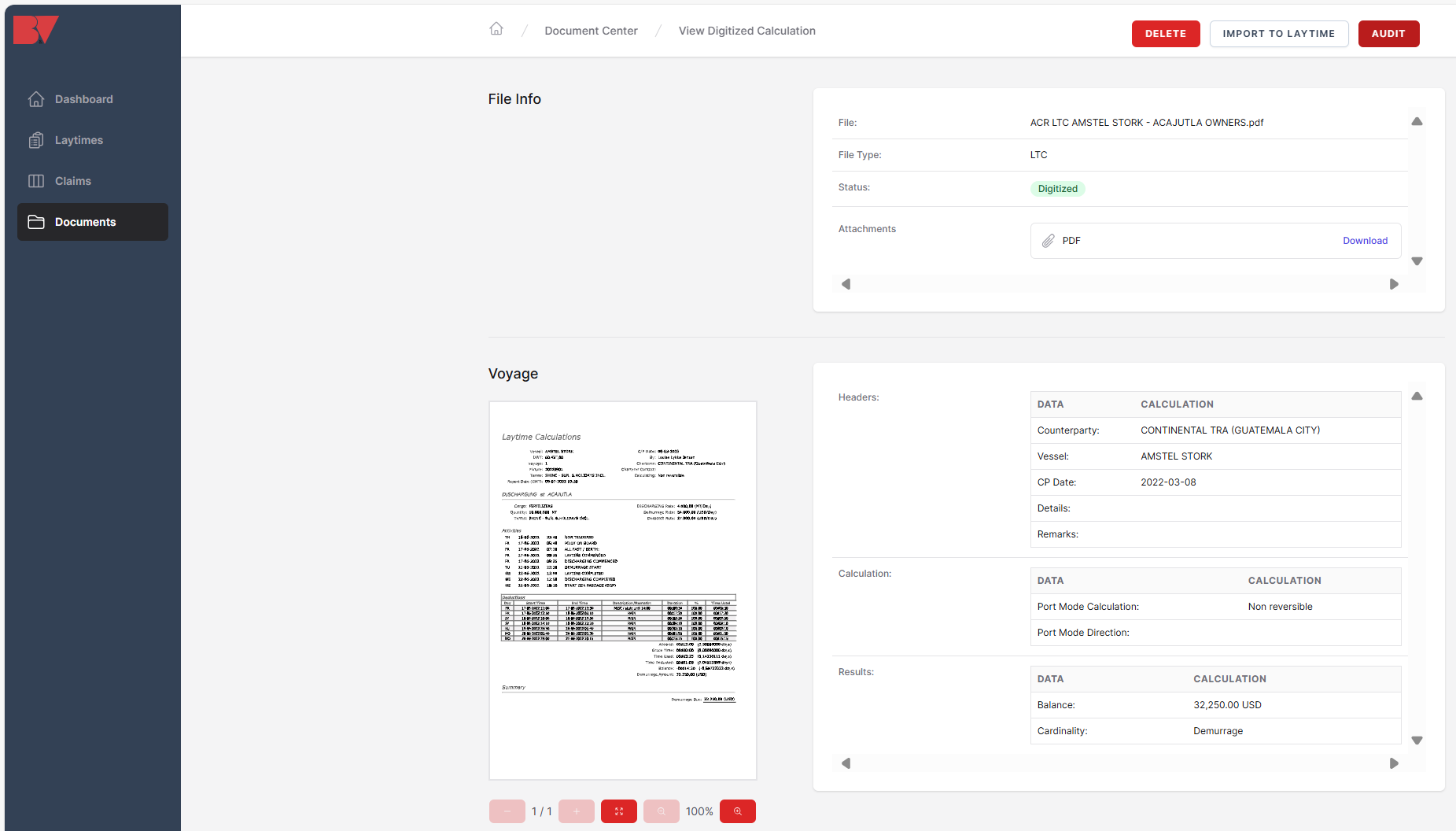
Click Import to Laytime in the top right-hand of the screen to transform it into a BV-format (.BVL) calculation file.

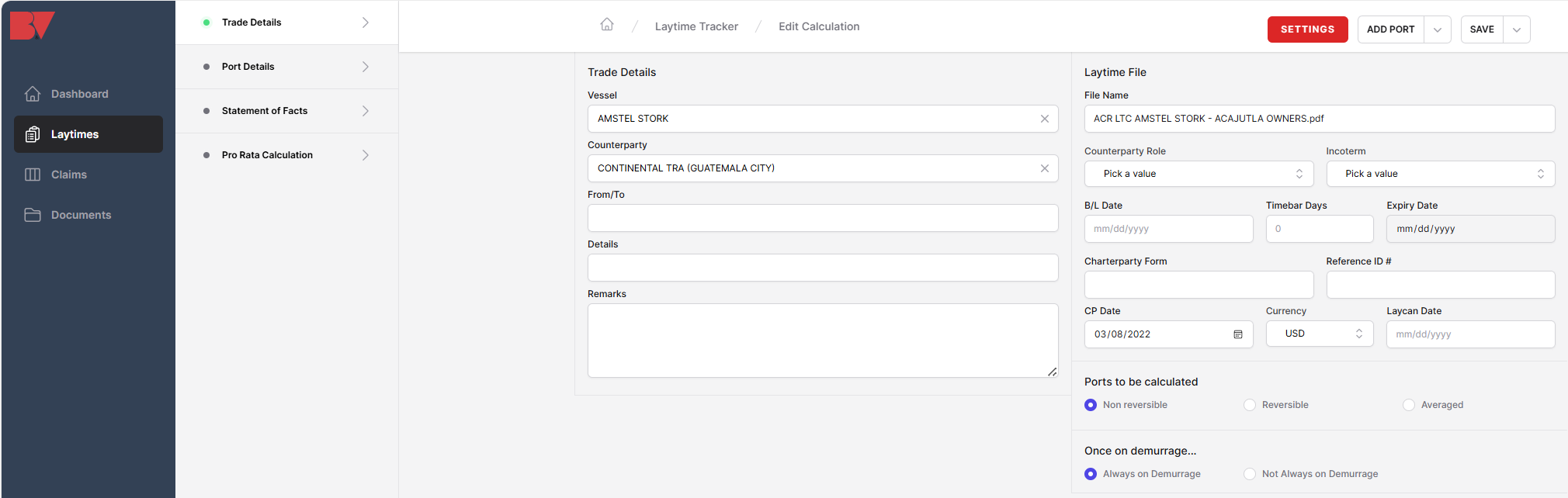
Once this file is saved, it will appear in the Laytime Tracker and Claims modules and can be edited and amended as desired.
Note: The Laytime AI Uploader is a premium service and requires a subscription for activation. For more information, contact info@burmester-vogel.com.